Wednesday, June 18, 2008

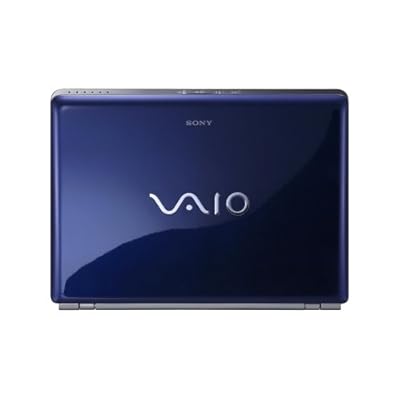
Sony VAIO VGN-CR420E/L 14.1" Laptop Review

Add a zesty style to your mobile computing with the stunning good looks of the indigo blue Sony VAIO VGN-CR420E/L notebook PC, which offers unique eye-catching features, impressive attention-to-detail, and an amazingly thin and light profile. It features a glossy finish with silver luminous trim and pulsing LED ground effects that emanate from beneath. Aside from its jaw-dropping good looks, it's also an entertainment powerhouse. The instant AV Mode enables you to start watching a DVD or listening to music with the push of a single button--without having to boot up the system--and the convenient, built-in multimedia control buttons also let you control all playback functions.

It's powered by the 2.1 GHz Intel Core 2 Duo T8100 processor, which offers a super-fast 800 MHz front-side bus speed and extra-large 3 MB L2 cache. Part of Intel's 45-nanometer (nm) Penryn series, this processor boosts speed, reduces power requirements, and saves on battery life. The Core 2 Duo processor provides an optimized, multithreaded architecture for improved gaming and multitasking performance. It also includes Intel's 4965 AGN wireless LAN, which will connect to draft 802.11n routers and offers compatibility with 802.11a/b/g networks as well. A built-in 1.3 megapixel digital web camera lets you quickly snap photos and participate in live video chats. Other features include a 14.1-inch XBRITE-ECO screen, extra-large 250 GB hard drive, 3 GB of installed RAM (4 GB maximum capacity), dual-layer DVD±RW drive (which also burns CDs), Bluetooth connectivity (with stereo music streaming), ExpressCard 34 slot, Intel GMA X3100 graphics (with up to 358 MB of total available video memory), and both Memory Stick and SD memory cart slots.

Microsoft Windows Vista Home Premium includes all of the Windows Media Center capabilities for turning your PC into an all-in-one home entertainment center. In addition to easily playing your DVD movies and managing your digital audio library, you'll be able to record and watch your favorite TV shows (even HDTV). Vista also integrates new search tools throughout the operating system, includes new parental control features, and offers new tools that can warn you of impending hardware failures.


The Basics

Processor: Experience improved energy efficiency, expanded wireless connectivity, and amazing battery life with the 45nm Penryn series Intel Core 2 Duo T8100 processor, which has a 2.10 GHz processor speed, super-fast 800 MHz front-side bus (FSB), and a large 3 MB L2 cache. (An L2, or secondary, cache temporarily stores data; and a larger L2 cache can help speed up your system's performance. The FSB carries data between the CPU and RAM, and a faster front-side bus will deliver better overall performance.) The new hafnium-infused circuitry--which reduces electrical current leakage in transistors--conserves even more energy, giving you more time away from the wall outlet. And you'll be able to encode video on-the-go and watch HD movies with Intel HD Boost.

The Intel Core 2 Duo processor has two computational execution cores in a single processor, providing greater system response when running multi-threaded applications simultaneously with no significant increase in power consumption. It's optimized for multitasking and is ready to support the Microsoft Windows Vista operating system. It can simultaneously run multiple demanding applications--such as graphics-intensive games or serious number-crunching business productivity applications--while downloading music or running virus-scanning security programs in the background. Some of the advanced Intel innovations of the Core 2 Duo processor include:
- Smart Memory Access: Improves system performance by hiding memory latency, thus optimizing the use of available computer data bandwidth to provide data to the processor when and where it is needed.
- Advanced Digital Media Boost: Effectively doubles the execution speed for instructions used widely in multimedia and graphics applications.
- Dynamic Power Coordination: Coordinates Enhanced Intel SpeedStep Technology and idle power-management state (C-states) transitions independently per core to help save power.
- Deeper Sleep with Dynamic Cache Sizing: Saves power by flushing cache data to system memory during periods of inactivity to lower CPU voltage.

Hard Drive: The extra-large 250 GB Serial ATA hard drive (5400 RPM) provides more than enough capacity for storing a large audio and video library, as well as extra space required for video editing. This SATA hard drive also quickens the pace with a higher speed transfer of data--akin to Firewire and USB 2.0.

Memory: The 3 GB of installed RAM (PC5300, 1 x 2 GB, 2 x 1 GB) helps boost the amount of available video RAM that's shared with this notebook's video card. It also offers a top-of-class 667 MHz speed. This notebook has a 4 GB maximum RAM capacity (2 x 2 GB). To receive the faster data transfer benefits of the dual-channel DDR2 RAM, any RAM additions require memory modules of same capacity and clockspeed.

DVD/CD Drive: The dual-layer DVD drive is compatible with a wide range of formats, including both DVD+RW and DVD-RW discs, CD-RW discs, and dual-layer (DL) DVD+/-R discs, which can hold up to 8.5 GB of data--great for backing up your MP3 collection or your most important documents. It features the following speeds: 4x for DVD+R DL, 4x for DVD-R DL, 8x for both single layer DVD±R, 8x for single layer DVD+RW, 6x for single layer DVD-RW, 5x for DVD-RAM, and 24x for CD-R/RW. It reads DVD-ROM discs at 8x and CD-ROMs at 24x.

Keyboard & Mouse: This notebook has a standard 82-key keyboard (2mm stroke and 19.05mm pitch) and electro-static two-button touchpad. Playback controls include play/pause, stop, forward, rewind, AV mode, mute, volume +/-, capture, and display off.


Screen, Video & Audio

You'll enjoy razor-sharp graphics and widescreen movies with the 14.1-inch WXGA high-definition screen, with its 1280 x 800-pixel resolution. The XBRITE-ECO technology delivers brilliant colors and stunning clarity with efficient power usage, and it features an anti-reflective coating to minimize reflection and ensure a beautifully clear image from any viewing angle.

Video is powered by the Intel Graphics Media Accelerator X3100, which uses shared video memory (up to 358 MB allocated from the system memory) and provides Windows Vista Aero interface support and enhanced 3D graphics performance--delivering over 2x scores on 3DMark 06. Intel Clear Video Technology provides outstanding video playback with sharper image quality, increased clarity, and customizable color controls. It also enables enhanced visual quality of interlaced content on progressive displays.


Networking, Connectivity & Expansion

Be ready for the next platform in wireless connectivity with the integrated quad-mode Intel Wireless 4965AGN Wi-Fi chip. Based on the draft 802.11n Wi-Fi specification, it offers up to five times the performance and twice the wireless range as existing 802.11g wireless. It's also backward compatible with 802.11b/g networks (commonly found in home routers and wi-fi hotspots) as well as 802.11a networks (which has a higher throughput, but more limited range--great for closed office environments). With the Bluetooth connectivity, you can communicate and synchronize with Bluetooth-enabled peripherals such as PDAs and cell phones as well as enjoy wireless stereo music streaming (thanks to its embedded A2DP profile).

This notebook also includes a next-generation ExpressCard 34 card slot (though no PCMCIA slot), which lets you take advantage of thinner, faster, and lighter expansion cards for even more advanced wireless, networking, storage, and security features. Here's the full list of connectivity options:
- 3 USB 2.0 ports for connecting a wide range of peripherals--from digital cameras to MP3 players
- 1 FireWire (also known as IEEE 1394 or i.Link) port for connecting digital video camcorders and other peripherals
- Video output: 1 VGA, 1 S-Video
- 1 ExpressCard/34 slot
- Memory Stick/Memory Stick DUO slot (with MagicGate functionality)
- Secure Digital memory card slot (compatible with MMC cards)
- 1 headphone jack, 1 microphone jack
- 10/100 Fast Ethernet
- 56K modem (V.90)


Operating System

Windows Vista Home Premium is the operating system for users with advanced computer needs, and it includes all of the Windows Media Center capabilities for turning your PC into an all-in-one home entertainment center for watching DVD movies and accessing your digital audio library. You can also use Windows Media Center to record and watch your favorite TV shows (even HDTV) and to access new kinds of online entertainment content. Computers that include Windows Vista Home Premium and an auxiliary Windows SideShow display will also allow you to access key data even when your computer is off. It is also easier than ever to share files between other PCs in your household and to manage your laptop computer settings to more securely connect via Wi-Fi.

Every edition of Windows Vista provides the essential tools and technologies to help protect you whether you are browsing the Internet, connecting to a wireless network, or just reading e-mail. All editions of Windows Vista include new tools that can warn you of impending hardware failures long before you have lost any important personal data. And, all Windows Vista editions include parental control features that allow you to manage and monitor your family's use of games, the Internet, instant messaging, and other activities.


Preloaded Software

Includes Sony Click to Disc (for easy DVD creation), Microsoft Works SE 9.0, Microsoft Office 2007 (60-day trial), Symantec Norton 360 All-In-One Security (with 60 days of Live Update).


Dimensions & Weight

This notebook measures 13.2 x 9.8 x 1.67 inches (WxDxH) and weighs 5.5 pounds.


Power

It's powered by the VGP-BPS9/S rechargeable lithium-ion battery, which has a battery life of between 2 and 4 hours (depending on usage).


What's In The Box

This package contains the VGN-CR420E/B notebook PC, rechargeable lithium-ion battery, AC adapter, and operating instructions. It is backed by a one-year limited hardware warranty, and Sony offers 1-year of toll-free telephone technical assistance.


Buy Cheap Sony VAIO VGN-420E/L 14.1" Laptop At Amazon!

READ THIS ARTICLE >>>

Monday, June 16, 2008

Jabra BT620s Bluetooth Stereo Headset

With the Jabra BT620s, you can get immersed in hi-fi stereo music straight from your mobile phone. Switch instantly between enjoying your music and talking on the phone. The music pauses/stops automatically when a call comes in, so you can choose to answer the call, or just keep on grooving. So turn up the volume and get lost in music without losing touch. One of the great things about the Jabra BT620s is that it can be used with various Bluetooth devices. You can connect your Jabra BT620s with 2 devices, enabling music playing and phone connectivity at the same time. This means you never have to miss a call unless you want to, and you don't have to change your headset when you want to listen to music on another device. The Jabra BT620s is one of the first wireless stereo headsets on the market, so you can enjoy the convenience of hands-free communication and mobile music without being tied up in wires. With two precision speakers, you'll be guaranteed the crystal clear sound reproduction you need to really get the most out of your favorite music. Offering up to 16 hours talk time or up to 14 hours wireless music streaming, so you can move with your music more easily than ever. Lost in music, still in touch. Release your Jabra.


Technical Details

- Intuitive controls let you switch quickly and easily from listening to music to taking calls.
- Multi-directional microphone -- is built in to the headphones to ensure optimal voice pick-up.
- Up to 16 hours of talk time -- and 240 hours of standby on a single charge.
- Up to 14 hours of music time -- provides all-day listening pleasure.
- Bluetooth 1.2 supporting A2DP (for music playing) and AVRCP profiles (for remote control), and headset and hands-free profiles.


Buy Cheap Jabra BT620s Bluetooth Stereo Headset At Amazon!

READ THIS ARTICLE >>>

Sunday, June 15, 2008

Seagate ST305004FDA1E1-RK FreeAgent Desktop 500 GB USB External Hard Drive

When its time to back up and protect your digital content--photos, music, documents, and more--it doesn't get much easier than the Seagate Free Agent Desktop 500GB USB Portable Hard Drive. Simply plug it in to any power source, connect the USB cable to any computer, and you're ready to go. This hip-looking hard drive takes up less room on your desk than an ordinary stapler, giving you more space for your other desktop items, but with the capacity to hold the files you need protected. Access to the items on the drive is password-protected, so you can give permissions to whomever you choose without compromising your personal data.


Portable Performance and Security

If you're still relying on your personal computer or back-up CDs or DVDs to store your digital content or vital personal or family documents, you're running an unnecessary risk. Your computer can only hold so many files and can crash at any time, leaving you helpless to access your content. DVDs and CDs have a place in archiving, but they get easily scratched and lost. It's too risky to store everything in your computer, and too time-consuming and cumbersome to have a drawer full of CDs or DVDs.

The Seagate Free Agent is big enough to store a huge portion of your digital content in a safe and secure environment, but small enough to let you take that content with you wherever you go. In other words, having the Seagate Free Agent is like having your entire computer with you at all times, but in a package that's a small fraction of the space and weight of your computer.

The sleek and slim design of this hard drive--only measures 7.5 x 1.6 x 6.4-inches (H x D x W)--and a weight of less than four pounds. The Seagate Free Agent lets you transfer files seamlessly from your computer via its USB 2.0 connection at a brisk transfer rate of up to 480Mb/sec. The drive delivers a spindle speed of 7,200 RPM, giving you the high-speed performance you need to back your data up quickly and safely.

The Seagate Free Agent is ready to use out of the box with a PC, but it can be made Mac-ready in a matter of minutes with Mac OS X's Disk Utility. This portable hard drive is already compatible with Windows Vista (as well as Windows XP and Windows 2000), allowing you to backup your content regardless of operating system upgrades.

At this compact size, and with this high performance, you now have the ability to take your data with you anywhere you go, so your digital content finally has room to breathe. A five-year warranty is also included, giving you complete peace of mind.


Technical Details

- 500 GB portable hard drive connects to your computer via USB cable
- 7200 RPM spindle speed for high-speed performance
- USB 2.0 connection provides a brisk transfer rate of up to 480 Mbps
- Includes portable drive, USB 2.0 cable, AC power adapter, and quick start guide
- Measures 1.6 (3.2 with base) x 7.5 x 6.4 inches (WxHxD); 5-year limited warranty


Buy Seagate ST305004FDA1E1-RK FreeAgent Desktop 500GB At Amazon!

READ THIS ARTICLE >>>

Saturday, June 14, 2008

XFX PVT44AWANG GeForce 6200 256MB GDDR2 AGP 4X/8X Video Card (VGA/DVI/S-Video)

XFX PV-T44A-WANG NVIDIA GeForce 6200 256 MB AGP Video Card features a revolutionary design that delivers best-in-class performance on today's hottest games and applications. This card offers 256 MB of 256-bit memory with a 13.3 GB-per-second memory bandwidth. The only GPU in its class to support Microsoft DirectX 9.0 Shader Model 3.0, the GeForce 6200 powers the latest effects without compromising performance. In addition, support for the latest bus architecture--PCI Express--increases both graphics and overall system performance.

NVIDIA CineFX 3.0 technology enables stunning and complex special effects, while next-generation shader architecture delivers faster and smoother game play. Intellisample 3.0 technology offers the industry's fastest antialiasing delivers ultra-realistic visuals, with no jagged edges, at lightning-fast speeds. The combination of high-definition video processors and NVIDIA DVD decoder software delivers unprecedented picture clarity, smooth video, accurate color, and precise image scaling for all video content to turn your PC into a high-end home theater.

The card's integrated TV encoder provides best-of-class TV-out functionality for resolutions up to 1024x768, while dual 400MHz RAMDACs support dual QXGA displays with ultra-high, ergonomic refresh rates--up to 2048x1536@85Hz. OpenGL 2.0 support ensures top-notch compatibility and performance for all OpenGL applications.


Technical Details


- 128-bit graphics processing unit (GPU) for AGP
- Supports Microsoft DirectX 9.0 Shader Model 3.0
- High-definition MPEG-2 hardware acceleration
- High-quality real-time video recording
- Provides HDTV DVI port for resolutions up to 1024 x 768


Buy Cheap XFX PVT44AWANG GeForce 6200 256MB GDDR2 AGP At Amazon!

READ THIS ARTICLE >>>

Thursday, June 12, 2008

Apple Mac mini MB138LL/A (1.83 GHz Intel Core 2 Duo, 1 GB RAM, 80 GB Hard Drive, Combo Drive) Review

A great choice for home computing tasks and creating a digital media hub, Apple's Mac mini desktop PC combines design simplicity with powerful computing resources. Nicely compact at just 6.5 inches square and 2 inches high, the Mac mini offers an affordable avenue to dual-core processing power via the 1.83 GHz Intel Core 2 Duo and Apple's latest suite of digital media applications--iLife '08. It also comes with the Apple Remote and Front Row media display software, which enables you to easily play your music, enjoy photo slideshows, and watch DVDs, iMovies, music videos and television shows from across the room.

This Mac mini also features 1 GB of installed RAM (with a 2 GB maximum capacity), 80 GB hard drive, a combo DVD-RAM/CD-RW drive for watching DVD movie discs and burning your own mixes to CD, Gigabit Ethernet wired networking and 802.11b/g wireless LAN, and the Mac OS X v10.5 Leopard operating system. You'll have to supply your own keyboard, mouse, and display.


Preinstalled with iLife '08

Every Mac mini includes iLife '08, the latest version of Apple's award-winning suite of digital media applications, with major upgrades to iPhoto, iDVD, iWeb, and GarageBand and a completely reinvented iMovie. iPhoto '08 now automatically organizes photo libraries into Events that let you more easily manage your growing photo collections, and iMovie '08 can import video from the latest AVCHD, HDV and DV camcorders, as well as from digital cameras, and displays your entire video library whether it's stored on internal or external drives. Both iPhoto and iMovie integrate seamlessly with the new .Mac Web Gallery, Apple's new service for .Mac members to instantly create and host websites for their photos and videos.

iLife '08 also features iWeb '08, with live web widgets such as Google Maps that let you create even more dynamic websites, and GarageBand '08, with its new Magic GarageBand feature that makes it fun and easy for both musicians and non-musicians to create great sounding songs.


Intel Core 2 Duo Processor

The Intel Core 2 Duo T5600 processor has a 1.83 GHz processor speed, fast 667 MHz front-side bus (FSB), and large 2 MB L2 cache. (An L2, or secondary, cache temporarily stores data; and a larger L2 cache can help speed up your system's performance. The FSB carries data between the CPU and RAM, and a faster front-side bus will deliver better overall performance.)

The Intel Core 2 Duo's 128-bit SSE3 vector engine handles 128-bit computations in a single clock cycle, accelerating data manipulation by simultaneously applying a single instruction to multiple data. And its two execution cores are designed to share resources and conserve power, helping it to achieve higher levels of performance since it uses fewer watts.


Wired and Wireless Community

The Mac mini gives you plenty of room to grow with four USB 2.0 ports on the back--for connecting devices such as cameras, iPod, printer, camcorder, or keyboard--as well as a FireWire 400 port, which enables super-fast connectivity to hard drives as well as digital video camcorders. Share files around your house with built-in 10/100/1000BASE-T Ethernet as well as 54g Wi-Fi (802.11b/g). The integrated Bluetooth wireless connectivity--version 2.0 + Enhanced Data Rate (EDR)--allows you to use a wireless keyboard or mouse, and synchronize peripherals such as cell phones and PDAs. Enjoy high-quality sound on almost any speaker system with double-duty analog/digital audio. Record digital and analog sources through audio line in, perfect for your latest podcast in GarageBand.


Graphics and Video

The Mac mini has a DVI video output that supports digital resolutions up to 1920 by 1200 pixels and is compatible with the 20-inch Apple Cinema Display and 23-inch Apple Cinema HD Display. It also supports coherent digital displays up to 154 MHz, and non-coherent digital displays up to 135 MHz. Using the included VGA video adapter, you can connect to analog displays at a resolution up to 1920 by 1080 pixels. Video is powered by the Intel Graphics Media Accelerator 950, which uses Intel Dynamic Video Memory Technology (DVMT) and provides up to 64 MB of shared video memory.


Other features

- 1 GB of 667 MHz DDR2 SDRAM (PC2-5300) on two SO-DIMM with a 2 GB maximum
capacity
- Slot-loading Combo drive (DVD-ROM/CD-RW): reads DVDs at up to 8x speed, writes CD-R discs at up to 24x speed, writes CD-RW discs at up to 16x speed, and reads CDs at up to 24x speed
- Built-in speaker
- Meets ENERGY STAR requirements with maximum continuous power of 110 watts


Included Software

Mac OS X v10.5 Leopard operating system (includes Spotlight, Dashboard, Mail, iChat AV, Safari, Address Book, QuickTime, iCal, DVD Player, Xcode Developer Tools); iLife '08 (includes iTunes, iPhoto, iMovie, iDVD, iWeb, GarageBand); Microsoft Office 2004 for Mac Test Drive; iWork (30-day trial); and Front Row.


Buy Cheap Apple Mac mini MB138LL/A At Amazon!

READ THIS ARTICLE >>>

Wednesday, June 11, 2008

Bose Computer MusicMonitorTM Silver Review

The Bose® Computer MusicMonitorTM was developed for the growing number of people who use their computers for personal entertainmentand want accurate, detailed sound from an elegant yet unobtrusive system. Until now, high quality desktop sound with deep, realistic low tones has come only from large speakers or a three-piece system with a bass module. Our new MusicMonitor is an alternative for serious listeners who prefer a two-piece solution offering performance, simplicityand more desktop space. This unexpected sound quality is made possible by combining the latest in switching amplifier technology with new, proprietary acoustic design, highly efficient neodymium speakers and Bose digital signal processing.

Together, these technologies allow the MusicMonitorTM to deliver accurate, full-range sound surprising for its sizeless than 5" high and only 2½" wide. The MusicMonitorTM is also pleasing to the eye, with solid aluminum casing and a metallic silver finish. Its understated elegance fits nicely almost anywhere in your home. Try the Bose Computer MusicMonitorTM for streaming audio and downloads from your laptop or PC, or movies from a portable DVD player. We think you'll find its performance hard to believe from a system this small.


Technical Details

- A new level of musical accuracyincluding faithful low-note performancefrom very small speakers
- Aluminum casing with metallic silver finish complements any laptop, PC and workspace
- Volume and power controls located discreetly on side of right speaker, or use handy remote
- Speakers connect to your laptop, PC or a portable audio source with provided cable; A/C power pack also included


Buy Cheap Bose Computer MusicMonitorTM Silver At Amazon!


READ THIS ARTICLE >>>

Tuesday, June 10, 2008

Apple Mac OS X Version 10.5.1 Leopard Review

Hello, tomorrow. The biggest Mac OS X upgrade ever, Leopard features 300+ innovations. Explore the Mac of the future today.


Desktop


A neat place to work
From the menu bar to the stunning new Dock, the Leopard desktop isn't just about design. It's about enjoying the time you spend on your computer and getting more out of it.

An eye-opening experience
Start from the top. The menu bar hovers transparently above your workspace, letting the desktop image--perhaps a favorite from your iPhoto library--take center stage. Dock icons rest on a reflective floor with a bright active application signal. And the look of Leopard extends to all applications: Every window has a consistent design theme, and active applications are even more distinct, casting deeper shadows.

Stacked in your favor
Take a look at your desktop. Is it cluttered with files you downloaded or saved there (somewhat less than) temporarily? You're not alone. Everybody does it. Time to clean house with Stacks--a brand-new feature in Leopard. Create Stacks from anything you want to access quickly from one place: a handful of documents, a group of applications, an entire folder. Files you download in Safari or save from an email are automatically directed to a Stack in the Dock, and when the download is complete, the Stack signals that a new item has arrived. When you want to see the files in a Stack, all you have to do is click--Stacks spring open from the Dock in an elegant arc for a few items, or in an at-a-glance grid for more. Pretty neat.


Finder

Give your files the rock star treatment
Imagine if browsing the files on your Mac was as easy as browsing music in iTunes. That's the idea behind the new Finder in Leopard. Now you can access everything on your system from an iTunes-style sidebar and flip through your files using Cover Flow.

The sidebar steps up
Leopard brings new power to your old friend, the sidebar. Now items are grouped into categories: places, devices, shared computers, and searches--just like the Source list in iTunes. So with a single click, you're on your way to finding what you need.

See what you seek
Bring your files to life with Cover Flow in the Finder. Just as you use Cover Flow to flip through album art in iTunes, now you can use it to flip through your files. Cover Flow displays each file as a large preview of its first page. And you can page through multipage documents or play movies.

Search party
Stop looking and start finding with Cover Flow and Spotlight. Click a prebuilt search like "yesterday" or "all images" in the sidebar and Cover Flow displays your search results in the perfect at-a-glance format. Leopard comes with a number of helpful prebuilt searches, but it's easy to create your own customized searches as well.

Closer connection
With shared computers automatically displayed in the sidebar, it's far easier to find or access files on any computer in your house, whether Mac or PC. All it takes is a click. But here's where things get really interesting. By clicking on a connected Mac, you can see and control that computer (if authorized, of course) as if you were sitting in front of it. You can even search all the computers in the house to find what you're looking for.

And now, back to my Mac
Ever need something on your Mac when you were thousands of miles from home? With Back to My Mac and a .Mac account, you can connect to any of your Macs at home from any Mac on the Internet. Your home computers will appear in the shared section of the sidebar just as they do when you're in the living room.

Look Deeper
From the Finder or the menu bar, Spotlight in Leopard lets you search for more specific sets of things. Use Boolean logic to narrow search results by entering "AND," "OR," or "NOT" into a search request. You can also search for exact phrases (using quotation marks), dates, ranges (using greater than [>] and less than [<] symbols), absolute dates, and simple calculations.


Quick Look

Look before you launch
Using Quick Look in Leopard, you can view the contents of a file without even opening it. Flip through multiple-page documents. Watch full-screen video. See entire Keynote presentations. With a single click.

Opening files is so 2006
So you're flipping through files in the Finder. But you're looking for something specific and you don't have time to open lots of files to find it. Enter Quick Look. It gives you a sneak peek of entire files--even multiple-page documents and video--without opening them.

See everything
Quick Look works with nearly every file on your system, including images, text files, PDFs, movies, Keynote presentations, and Microsoft Word and Excel files. Click the Quick Look icon or tap the Space bar to see a file in Quick Look. Then click the arrow icon to see the same file full screen--even video as it plays.


Time Machine

A giant leap backward
More than a mere backup, Time Machine makes an up-to-date copy of everything on your Mac--digital photos, music, movies, TV shows, and documents--so you can go back in time to recover anything.

Set it, then forget it
You can start using Time Machine in seconds. The first time you attach an external drive to your Mac, Time Machine asks if you'd like to use that drive as your backup. Say yes and Time Machine takes care of everything else. Automatically. In the background. You'll never have to worry about backing up again.

Back up everything
Time Machine keeps an up-to-date copy of everything on your Mac. That includes system files, applications, accounts, preferences, music, photos, movies, and documents. But what makes Time Machine different from other backup applications is that it not only keeps a spare copy of every file, it remembers how your system looked on any given day--so you can revisit your Mac as it appeared in the past.

Go back in time
Enter the Time Machine browser in search of your long-lost files and you see exactly how your computer looked on the dates you're browsing. Select a specific date, let Time Machine find your most recent changes, or do a Spotlight search to find exactly what you're looking for. Once you do, click Restore and Time Machine brings it back to the present. Time Machine restores individual files, complete folders, or your entire computer--putting everything back the way it was and where it should be.

Preferential treatment
Customize Time Machine by modifying the following behaviors in System Preferences:
- Backup disk. Change the drive or volume you're backing up to. Or back up to a Mac OS X Server computer.
- Do not back up. By default, Time Machine backs up your entire system. But you can also select items you'd rather not back up.
- Encrypt backup data. Turn on encryption to store your backup securely.
- Backup storage time limits. Manage older backups so your backup drive doesn't fill up.


Spaces


Room for everything
You do a lot on your Mac. So what happens when projects pile up? Easy. Use Spaces to group your windows and banish clutter completely. Leopard gives you a Space for everything and puts everything in its Space.

Rearrange the rooms
Create a Space for work. Create a Space for play. Organize each Space the way you want it just by dragging in windows. Keep all your work projects in one Space and that fun flick you made in iMovie in another. Create a communication Space for iChat and Mail. You can even rearrange your Spaces with drag-and-drop ease--shift a Space and every window in it comes along for the ride.

Make yourself at home
Moving from Space to Space is easy. Get a bird's-eye view and select the Space you want or toggle between Spaces using the arrow keys. Even the Dock is down with Spaces: When you click a Dock icon, Leopard whisks you to the Space (or Spaces) where you have that application open.

Pick your pattern
Configure your Spaces by visiting the Expose Spaces pane in System Preferences. Add rows and columns until you have all the real estate you need. Arrange your Spaces as you see fit, then choose the function keys you want to control them. You can also assign applications to specific Spaces, so you'll always know where, say, Safari or Keynote is.


Mail

Think outside the inbox
Leopard transforms email into personalized stationery. Notes you can access anywhere. To-dos that change as your errands do. For everything you do with email--and some things you haven't thought of yet--there's Mail.

Sincerely yours
Mail for Leopard features more than 30 professionally designed stationery templates that make a virtual keepsake out of every email you send. Mail Stationary From invitations to birthday greetings, stationery templates feature coordinated layouts, fonts, colors, and drag-and-drop photo placement--everything to help you get your point across. You can even create personalized templates. And messages created using stationery in Mail use standard HTML that can be read by every popular email program on the market--for both Mac and PC.

Noteworthy indeed
Ever email yourself a reminder that gets lost in your inbox? Mail lets you write handy notes you can access from anywhere. Brainstorm ideas, jot down meeting notes, scribble a phone number--notes can include graphics, colored text, and attachments. Group notes into folders or create Smart Mailboxes that group them for you. Since your notes folder acts like an email mailbox, you can retrieve notes from any Mac or PC.

Much ado about to-dos
Forget manually entering a new item to your to-do list every time an email hits your inbox. Mail Tasks Simply highlight text in an email, then click the To-do icon to create a to-do from a message. Include a due date, set an alarm, or assign priorities. Every to-do you create includes a link to the original email or note, and to-dos automatically appear in iCal, complete with any edits or additions you make. And since to-dos are stored with your email, you can access them from Mail on any Mac.

Spotlight on mail
With smarter relevance ranking in Spotlight, you'll find the right email at the top of the search results list. And everything you create in Leopard Mail--to-dos, notes, and, of course, email messages--appears in a Spotlight search of your system.

Stop the presses
Subscribe to an RSS feed in Mail and you'll know the moment an article or blog post hits the wire. Even better, you can choose to have new articles emailed to you. Sorting your news is easy, too. Use Smart Mailboxes to organize incoming news articles according to search terms that pique your interest. Mail shares its unread RSS feed count with Safari, so your reading list always stays in sync.

Data, detected
Say you get an email invitation to dinner. What if Mail recognized the address of the restaurant and let you map directions on the web? Or let you click once to add the date to your iCal calendar? With Leopard, it does. Mail even recognizes combinations of data in phrases like "lunch tomorrow at 12 p.m. at 701 Baltic Ave, San Francisco, CA," making it easy to make plans.

Setup made simple
Now you can set up a new Mail account in one easy step. Just enter your current email address and password and let Mail do the rest. Mail works with the most popular email providers to automatically configure all those cryptic server settings for you.


iChat

Not being there is half the fun
Filled with fun new features, iChat turns any video chat into an event. Video backdrops, Photo Booth effects, photo slideshows, Keynote presentations, even movies on your Mac--you can share it all using iChat.

Chat for effect
Transform your video chats using new Photo Booth effects. Choose an effect and your image changes instantly--iChat detects your background and adds the effect only to your image. And the reverse is true for iChat backdrops: Drag an Apple-designed backdrop or your own photo or video into the video preview window to create an effect that will fool your buddies into thinking you're chatting from your living room, the beach, or the moon.

Show off (without showing up)
Why wait for a darkened room and a projector to present vacation photos or Keynote slides? Now you can do it all remotely, right in iChat. Put on an entire photo slideshow, click through a Keynote presentation, or play a movie--in full screen, accompanied by a video feed of you hosting--while your buddy looks on. In fact, you can show any file on your system that works with Quick Look.

Chatting for the record
Now you can save your audio and video chats for posterity with iChat recording. Before recording starts, iChat notifies your buddies and asks for their permission to record. When you're done chatting, iChat stores your audio chats as AAC files and video chats as MPEG-4 files so you can play them in iTunes or QuickTime. Share them with colleagues, friends, and family or sync them to your iPod and play on the go.

Crystal clear audio
iChat uses the AAC-LD audio codec to deliver the clearest possible sound during audio chats. A wideband codec that samples a full range of vocal frequencies, AAC-LD sounds great with any voice.

Still, the best for text
Sure, iChat has a lot to offer for video and audio chats, but text messaging also gets a boost in Leopard, thanks to these additions:
- Tabbed chats
- Multiple logins
- Invisibility
- Animated buddy icons
- SMS forwarding
- Custom buddy list order
- File transfer manager
- Space-efficient views

AIM to please
iChat works with AIM, the largest instant messaging community in the U.S. You and your buddies can be either AIM or .Mac users. Text, audio, and video chat whether your buddies use a Mac or PC. Sign in with your AIM account and all your buddies appear in your iChat buddy list.

iCal. Your schedule is clear
Leopard introduces a new look to iCal, along with an easier-to-use interface that makes scheduling and rescheduling a breeze. Add new group calendaring features, and iCal works better for business or pleasure.

Photo booth. Say cheese
Come on. You know you want to. Your built-in iSight or USB camera just begs to take your snapshot. Open Photo Booth--now built into Leopard--and have a little fun.

Dashboard. Where there's a will there's a widget
Leopard lets you create your very own Dashboard widget from any website. And new .Mac syncing keeps all of your widgets on all of your Macs.

Front row. Put on a show
Looking for a great way to enjoy all the cool stuff on your Mac? Front Row in Leopard works like Apple TV to play digital music, movies, TV shows, and photos on your Mac using the ultra-simple Apple Remote.

Safari. Still the world's best browser
Now your favorite web browser is also the fastest on the planet. With page load speeds to rival every other major browser, Safari for Leopard also introduces a few new features to the mix.

DVD Player. Very entertaining
DVD Player in Leopard probably boasts more features than the DVD player in your home entertainment system. And you don't have to leave your Mac to enjoy it.

Parental Controls
Give your kids a safer, happier Mac experience.

Accessibility. More user friendly
Leopard offers new features destined to make it the most accessible Mac OS yet. New voice technology in VoiceOver, along with Braille support, Breakthrough Browsing, and extended keyboard capability, give users with visual disabilities more control over the Mac than ever.

Boot Camp. Run Windows on your mac
Leopard is the world's most advanced operating system. So advanced, it even lets you run Windows if there's a PC application you need to use. Just get a copy of Windows and start up Boot Camp, now included with Leopard. Setup is simple and straightforward--just as you'd expect with a Mac.

Automator. Your personal automation assistant
Automator brings remarkable speed to any task that's often repeated on your computer. Leopard adds even more muscle to Automator, making it easy to automate more kinds of tasks.


Rock-Solid Foundations

64-Bit. Advanced precision in one OS
Leopard delivers 64-bit power in one, universal OS. Now the Cocoa application frameworks, as well as graphics, scripting, and the UNIX foundations of the Mac, are all 64-bit. And since you get full performance and compatibility for your 32-bit applications and drivers, you don't need to update everything on your system just to run a single 64-bit application.

Multicore. Fire on all cylinders
Today's Mac computers offer astounding performance with up to eight cores of processing power. So how do you take full advantage? Simple. With Leopard. A rearchitected system, finely tuned key applications, and powerful new tools for developers make Leopard the perfect OS for your multicore Mac.

Security. Safer by design
Every Mac is secure--right out of the box--thanks to the proven foundation of Mac OS X. Apple engineers have designed Leopard with more security to protect your personal data and make your online life safer.

Core animation. Drag-and-drop-dead gorgeus
Welcome to the next level in computer animation. No, it's not a feature film--it's your desktop. Core Animation is an API that makes it simple for Mac developers to add visually stunning graphics and animations to applications. Without any esoteric graphics and math techniques, you can create fluid, stutter-free effects and experiences as groundbreaking as Spaces and Time Machine.

UNIX. The UNIX you know. The Mac you love
What can the fully UNIX-compliant Leopard do? It can run any POSIX-compliant source code. Help you make the most of multicore systems. Put a new, tabbed-interface Terminal at your fingertips. Introduce a whole host of new features that make life easier for every developer. So, really, what can't it do?


Ready.Set.Code


Xcode.Build fast.Work smart
Xcode 3.0 delivers better performance, as well as innovations that let you create stunning Mac applications more quickly. Enjoy a graphical IDE in which form focuses your functions. Delight in a debugger so groundbreaking, you'll make mistakes just to see it in action.

Xray. Apps, the developer will see you now
When you need help debugging, Xcode 3.0 offers an extraordinary new program: Xray. Taking interface cues from timeline editors such as GarageBand, Xray lets you visualize application performance like never before.

Dashcode. Widgets without the wait
Ever wish you could make your very own Dashboard widget? A handy RSS feed of your favorite blog, maybe. Or a miniature photocast of your iPhoto library. Something uniquely useful, uniquely you. Say hello to Dashcode. Now you can get a widget up and running in minutes, even if you've never written a line of code in your life.


Buy Cheap Apple Mac OS X Version 10.5.1 Leopard At Amazon!


READ THIS ARTICLE >>>

Sunday, June 8, 2008

Patriot DDR3 2G Dual Kit 1333MHZ Low Latency ( 7.7.7.20) Review

Patriot Extreme Performance (EP) Enhanced Latency line is engineered to expand your gaming capabilities. These modules are designed to operate at PC3-10666 (1333MHz) at 7-7-7-20 timings; and are available in 1GB single and 2GB kit capacities. They are equipped with Patriot Aluminum Bladed¿ Heat Shield technology to improve module stability and performance while operating under extreme pressure and overclocking conditions. Engineered with extreme performance and reliability in mind, Patriot Extreme Performance line is the ultimate solution for extreme Overclockers, Gamers, and PC Enthusiasts. Features Extreme Bandwidth PC3-10666 (1333MHz) Extreme Latency (7-7-7-20) Patriot Aluminum Bladed¿ Heat Shield Technology to improve module performance and stability 100% Tested and Verified BTT Tested to endure maximum performance Lifetime Warranty RoHS Compliant.


Technical Details

- DDR3
- 2GB DUAL KIT
- 1333MHZ
- LOW LATENCY
- 7.7.7.20


Buy Cheap Patriot DDR3 2G Dual Kit 1333MHz At Amazon!

READ THIS ARTICLE >>>

Saturday, June 7, 2008

Canon Pixma iP4500 Photo Inkjet Printer Review

The Canon Pixma iP4500 is a stylish unit that boasts both a five-color ink system and a 4,608-nozzle print head to deliver wonderfully lifelike color, along with bold, laser-quality text. How does it work? The print head ejects precision droplets as small as one picoliter, resulting in a breathtaking 9600 x 2400 color dot-per-inch (dpi) resolution as well as a truly exceptional level of detail. Remarkably efficient, the iP4500 also will print a borderless 4-by-6-inch photo in only about 21 seconds. And you can store both photo paper and plain paper in the two paper trays at the same time, so you're always ready to print exactly what you need.

The user-friendly iP4500 provides lots of options, so you can indulge your creativity. With this system, you get four dye-based inks plus a pigment-based black ink, the option of printing two-sided documents to save paper, and the ability to print right from your infrared-enabled mobile camera phone. Simply capture an image with a PictBridge-ready digital camera or DV camcorder, then connect and print--it's that simple. And to make sure your favorite shots look their best, the built-in automatic image-fixing feature via Easy PhotoPrint EX also helps ensure that each image is as clear and vibrant as possible.


Technical Details

- Efficient printer with 5-color ink system
- 4,608-nozzle print head delivers vivid, lifelike color and laser-quality text
- Up to 9600 x 2400 color dpi resolution
- Prints borderless 4 x 6 inch photo in about 21 seconds
- Dimensions: 11.9 x 6.3 x 17.5 in. (WxHxD); weighs 15.2 pounds; 1-year limited warranty


Buy Cheap Canon Pixma iP4500 Photo Inkjet Printer At Amazon!

READ THIS ARTICLE >>>

Friday, June 6, 2008

HP W2207 22" Widescreen Flat Panel LCD Monitor Review

The HP w2207 with BrightView panel provides an elegant flat panel monitor with a wide view for work or play. The HP w2207 provides a BrightView widescreen panel for for brilliant picture quality. Dual inputs support true digital /DVI D/ and traditional analog /VGA/ signals. HDCP enabled for optimum viewing of High Definition content /High Bandwidth Digital Content Protection. Double hinge base allows height adjustment from the youngest to oldest viewer to view comfortably. Rotate from regular mode to portrait to view long documents or web pages on your PC. My Display provides one touch adjustment for brightness, color and contrast. Quick View modes change work environments easily and quickly. Integrated speakers and keyboard parking keeps your desktop clutter free. Personalize your monitor with Easy Clip by clipping on photo holders, cameras, and accessories. My Display provides one touch OSD adjustment for brightness, color and contrast.

The wide aspect ratio and high resolution bring gaming, videos and internet surfing brilliantly alive when you plug into your HP PC. Fast response time makes gaming even more enjoyable High Resolution Picture Quality and Ultimate flexibility. Creative and technical users can maximize project productivity with this widescreen. View two pages side by side for editing graphic layouts, or working with wider spread sheets. Rotate from your regular view to portrait mode to view long documents or web pages. Extreme resolution at 1680 x 1050 for bright, awesome graphic quality perfect for videos, photo editing or gamingon your PC Standard 15 pin D sub analog and advanced DVI D digital interfaces for optimal graphic performance.


Technical Details

- 22 in Widescreen Thin Film Transistor LCD Active Matrix TV
- 1000:1 Contrast Ratio and Resolution at 1680 x 1050
- High Bandwidth Digital Content Protection
- Standard 15 Pin D Sub Analog and Advanced DVI D Digital Interfaces
- 19.8 Lbs (WxLxH) 20.61" x 11.38" x 18.95"


Buy Cheap HP W2207 22" Widescreen LCD Monitor At Amazon!

READ THIS ARTICLE >>>

Thursday, June 5, 2008

Asus Eee PC 4G Galaxy Black Review

Get the power of a full-sized laptop in the ultra-compact ASUS Eee PC 4G, which offers a full QWERTY keyboard, 7-inch screen, and preinstalled Linux operating system. (This laptop is also compatible with the Microsoft Windows XP operating system.) You'll be able to stay connected to email and the Internet easily thanks to the Wi-Fi LAN (802.11b/g), and communicate via video chat and VoIP with the Webcam integrated into the display's bezel. Because it uses flash memory instead of a hard drive (with 4 GB of storage), the Eee PC is optimal for weathering rough handling and sharing space in overstuffed bags.

For the professional, the Eee PC comes with a powerful selection of software to maximize personal productivity--over 40 built-in applications. The Open Office suite of software enables the user to open, edit and create documents, presentations, spreadsheets and databases that are compatible with Microsoft Office. For journalists, photographers and other professionals who need to use a computer in the field to create, to communicate and to collaborate with other colleagues, the Eee PC's combinati on of power, extreme portability and rugged build makes it the ideal computing solution.

It's also a great choice for young students, with a built-in Dictionary that's great for homework, and it includes two modes of intuitive graphic user interface design to accommodate both experienced and inexperienced PC users. The Eee PC also handles your digital images, movies, and music as well as Internet radio.

Compact and highly portable at just 32 ounces, the Eee PC 4G has a 7-inch wide color TFT LCD with an 800 x 480-pixel resolution (WXGA). Under the hood is a 900 MHz Intel Mobile CPU with integrated Intel graphics processor, 512 MB of RAM (not expandable), and 4 GB of solid-state flash memory. With the dependable solid-state disk, you get unparalleled shock-protection and reliability. In addition to its wireless LAN, it also offers wired Fast Ethernet connectivity. The Eee PC includes software for Web browsing (Firefox), email, OpenOffice 2.0 for creating and editing word processing documents and spreadsheets, and a suite of other productivity software to help keep you on track.

You get three USB 2.0 ports, a VGA output for connecting to external monitors, headphone and microphone jacks, and a Secure Digital (SD) memory card slot. The Eee PC measures 8.9 x 6.5 x 1.4 inches, and it weighs 32 ounces. The 4-cell, 5200 mAh battery provides up to 3.5 hours of battery life (depending on usage). It's backed by a 1 year warranty for parts and labor.

Play, relax, and entertain on the go with shock-proof design. At 7" and weighing only 2lbs, you can take the Eee PC anywhere. Bumps and shocks are no longer issues. With a dependable solid-state disk, you get unparalleled shock-protection and reliability. Power-efficient design provides longer operating time when on the go. With a rapid start-up time, the Eee PC is always ready to get into action. No technical manual required with the specially designed, user-friendly and intuitive graphic interface. You're always connected with built-in WiFi 802.11 b/g that automatically detects and connects to the Internet at any hotspot. The Eee PC includes the documents and the e-mails software, and a suite of other productivity software to help keep you on track.

Upload photos and videos and share them instantly on Flickr or YouTube without waiting till you get home. Enjoy music and videos with extensive support for a wide range of digital multimedia. Log on to Skype or other network, and you can connect with friends anywhere, anytime. Clear up wire clutter with the built-in card reader, camera, speakers, and microphone. Since it's so easy to use and durable this makes a perfect gift for children. 4GB flash drive Built-in webcam Over 40 built-in applications for learn, work and play Linux based operating system 2 Year Limited Warranty Approximate Unit Weight - 2lbs Windows compatibility but comes with Linux OS only.


Buy Cheap Asus Eee PC 4G Galaxy Black At Amazon!

READ THIS ARTICLE >>>

Wednesday, June 4, 2008

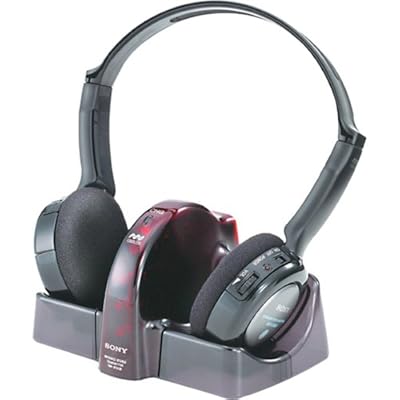
Sony MDR-IF240RK Wireless Headphone Review

The Sony Wireless Headphone System has everything you need to enjoy your music without wires: a high-powered transmitter/recharger, headphones powered by a rechargeable battery, a connecting cable, a UniMatch plug adapter, and an AC power adapter. The system easily connects to TVs and VCRs as well, letting you turn up the volume while people nearby are sleeping or wanting some quiet time. The system has a maximum range of 24 feet and a transmission angle of up to 90 degrees, and lasts up to 35 hours on a full charge. The open-air design of the headphones lets in ambient sound. You can recharge the battery by placing the headphones on the transmitter.

Volume control is provided in one earpiece that adjusts volume for both channels, ferrite magnets ensure the ample production of sound, and a self-adjusting headband automatically adjusts to your head's shape for maximum comfort. The system automatically turns on when you put it on your head, so there are no cumbersome switches or buttons to flip on.


Technical Details

- Lets you enjoy music while roaming around the house or yard
- System has 24-foot range and lasts up to 35 hours
- Simple battery recharging
- High-powered ferrite magnets generate superb sound
- Weighs 6.3 ounces


Buy Cheap Sony MDR-IF240RK Wireless Headphone System At Amazon!

READ THIS ARTICLE >>>

Monday, June 2, 2008

Iomega Desktop Hard Drive 500 GB Hi-Speed USB 2.0 External Hard Drive Review

The Iomega Desktop Hard Drive 500GB provides an economical solution for even the greatest storage needs. The 500GB storage capacity allows you to save up to 2,000,000 photos, 9,250 hours of music, or 750 hours of video. The drive uses a USB 2.0 connection which is compatible with all computers today and boasts transfer rates of up to 480 Mbps. The drive runs at 7200 RPM and has up to an 8 MB cache buffer for speedy performance.

The drive is compatible with both PCs and Macs. It is FAT32 preformatted so PC users can just plug it in and start using it. The Iomega 500GB External Hard Drive is backed by a 1-year warranty.


Technical Details

- 500GB external hard drive with USB 2.0 connection
- USB 2.0 offers up to 480 Mbps transfer rates
- 7200 RPM and 8MB cache buffer for speedy performance
- 1-year limited warranty
- Device measures 4.75 x 1.375 x 8.75 inches (WxHxD)


Buy Cheap Iomega Desktop Hard Drive 500 GB Hi-Speed USB 2.0 External At Amazon!

READ THIS ARTICLE >>>

Friday, May 30, 2008

Diamond Viper ATI Radeon HD3870 PCIE 512 MB GDDR4 Review

ATI Radeon HD 3800 Series of GPUs allow you to experience the power of HD with graphics processing designed for how you work and play. Advance to the next generation of HD game performance and life-like realism thanks to DirectX 10.1 capabilities and plug-and-play ATI CrossFireX multi-GPU upgradeability. Watch the latest Blu-ray and HD-DVD videos in full 1080p HD--and upscale beyond--without placing huge demands on your CPU.


Features


- ASIC: RV670
- 512 MB Memory
- GDDR4 Memory Configuration
- 256-bit Memory Interface
- Display Formats: x2 Dual Link DVI + HDTV-out with VIVO (HDMI support through dongle)
- Superscale unified shader architecture
- PCI Express 2.0 support
- 320 Unified Stream Processors
- Direct X 10.1/Shader Model 4.1
- ATI Crossfire X Multi-GPU Support for highly scalable performance (Up to four GPU support with an AMD 790FX based motherboard)
- High-speed 128-bit-HDR (High Dynamic Range) rendering
- Up to 24x Custom Filter Anti-Aliasing
- 55nm process technology
- ATI Avivo HD Video and Display Technology
- Game Physics processing capability
- Up to 24X Custom Filter Anti-Aliasing
- Built-in HDMI with Multi-channel 5.1 surround audio
- Support for the ATI Radeon DVI to HDMI adapter
- Unified Video Decoder (UVD) for Blu-ray and HD DVD
- ATI PowerPlay energy conserving technology


System Requirements

- AMD Athlon or Intel Pentium 4
- PCI Express based PC is required with one X16 lane graphics slot available on the motherboard
- 450 Watt or greater power supply with 75 Watt 6-pin PCI Express power connector recommended (550 Watt for ATI CrossFireX with two 6-pin connectors)
- 1GB of system memory
- Installation software requires CD-ROM drive
- DVD playback requires DVD drive, Blu-ray/HD DVD playback requires Blu-ray/HD DVD drive
- For a complete ATI CrossFireX system, a second ATI Radeon HD 3850 graphics card, an ATI CrossFireX Ready motherboard and one ATI CrossFireX Bridge Interconnect cable per board (included) are required


Product Description

The ATI Radeon HD 3800 Series of GPUs allow you to experience the power of HD with graphics processing designed for how you work and play. The Diamond Radeon HD 3870 delivers outstanding performance at a great price. Advance to the next generation of HD game performance and life-like realism thanks to DirectX 10.1 capabilities and plug-and-play ATI CrossFireX multi-GPU upgradeability. Watch the latest Blu-ray and HD-DVD videos in full 1080p HD and upscale beyond - without placing huge demands on your CPU. Enjoy break-through efficiency with more processing performance per watt and energy-saving features to help save you money.


Buy Cheap Diamond Viper ATI Radeon HD3870 512 MB GDDR4 At Amazon!

READ THIS ARTICLE >>>

Apple iMac G5 Desktop With 17" M9843LL/A Review

Apple M9843LL/A iMac G5 Desktop Computer - Apple has updated one of the most uniquely designed computers available. Taking the all-in-one iMac design to the next level, this G5 desktop computer is a high-tech computer system inside a 17" widescreen LCD monitor! Without the bulky computer tower, you now have a sleeker and more modern looking desktop. The iMac G5 packs every piece of computing technology inside, but most notably it features a new 1.8 GHz PowerPC G5 processor, and OS X Tiger operating system. Allowing you to be creative, get organized, and have fun with the latest applications for the Mac 512MB PC3200 DDR SDRAM (expandable to 2GB) ATI Radeon 9600 AGP 8x graphics with 128MB of DDR SDRAM 160GB Serial ATA (SATA) HDD Slot-loading DVD-ROM/CD-RW Combo Drive 17 (viewable) LCD 1440x900 Native Resolution Built-in 802.11g Wi-Fi Adapter Built-in Bluetooth 2.0+EDR (Enhanced Data Rate) Module 56k Fax Modem Integrated Stereo Speakers Ports - 10/100/1000 Ethernet, Headphone/Optical Digital Audio Out, Audio Line-In, 2 FireWire 400, 3 USB 2.0, 2 USB 1.1, 2 VGA Out, S-Video, & 2 Composite Video Unit Weight - 18.5 lbs.


Technical Details

- 1.8 GHz PowerPC G5 running Mac OS X version 10.4 "Tiger"
- 512 MB DDR SDRAM, 160 GB hard drive, and slot-loading Combo Drive (DVD-ROM/CD-RW)
- 17-inch (viewable) widescreen TFT active-matrix LCD, 1440 x 900 pixels, millions of colors
- Two FireWire 400 ports; three USB 2.0 ports, two USB 1.1 ports (on keyboard); VGA output; S-video and composite video output
- Built-in 10/100/1000BASE-T (Gigabit) and 56K V.92 modem

Buy Cheap Apple iMac G5 Desktop With 17" M9843LL/a At Amazon!

READ THIS ARTICLE >>>

Wednesday, May 28, 2008

Logitech Pure-Fi Elite High Performance Stereo System For Ipod Review

The Logitech Pure-Fi Elite stereo system creates a full-functioning stereo from your iPod, filling any room with high-performance digital sound. Charge your iPod while you enjoy favorite tunes from selected playlists or from the built-in AM/FM radio--and control it all from across the room with the included backlit remote. The remote also provides easy one-touch access to shuffle and repeat functions, and even allows instant access to preset iPod playlists without navigating menus on your iPod.

The Pure-Fi Elite immerses users in high-quality acoustics. The system features two 1-inch high-definition soft-dome tweeters to ensure precision and clarity from even the highest notes. The two 4-inch high-power long-throw woofers are capable of filling the room with deep, powerful bass. Meanwhile, DSP-controlled, dynamic, digital EQ, and advanced filtering features minimize distortion to create true-to-life sound. Also included is a bi-amplified transducer design with digital electronic crossover for studio-quality audio that plays louder and sounds better. The onboard StereoXL technology dramatically widens stereo image, creating an immersive audio experience.

Composite and S-Video output jacks are included for when you want to view iPod video files on a big screen while enjoying outstanding audio pumped through the Pure-Fi Elite. The Pure-Fi Elite supports all iPod models with dock connectors--including iPod nanos and fifth-generation iPods. The Pure-Fi Elite supports 1G through 3G iPod models (and other portable music players) via a 3.5-mm auxiliary input. With an easy-to-read digital clock, the Pure-Fi Elite measures 17.6 by 10.6 by 5.7 inches and comes backed by a two-year limited warranty.


Audiophile Performance

- 1-inch high-definition, soft-dome tweeters: Get precision and clarity from even the highest notes.
- 4-inch high-power, long-throw woofers: Fill the room with deep, powerful bass.
- DSP-controlled, dynamic, digital EQ and filtering: Minimizes distortion to create true-to-life sound.
- Bi-amplified transducer design with digital electronic crossover: Enjoy studio-quality audio that plays louder and sounds better.
- StereoXL technology: Dramatically widens stereo image, creating an immersive audio experience.


Convenience

- Digital AM/FM radio: Increases your musical choices while giving you a complete stereo solution.
- Digital clock: Watch where the time goes.
- Charges your iPod: Doubles as an iPod charger.


Control

- Backlighted wireless remote: Control and browse your iPod from anywhere in the room with a remote that's backlighted for use in the dark. Enjoy one-touch access to Shuffle and Repeat.
- Presets for iPod playlists: Enjoy instant access to your favorite music, without having to navigate menus on your iPod.

Buy Cheap Logitech Pure-Fi Elite High Performance Stereo System For Ipod At Amazon!

READ THIS ARTICLE >>>

Kaspersky Internet Security 7 Review

Kaspersky Internet Security 7.0 (2-Year) provides you with the same proven anti-virus protection as Kaspersky Anti-Virus together with additional features including Parental Control, a personal firewall, an anti-spam filter, Privacy Control and more.


Using The Internet Safely And Securely


Secure surfing. The solution analyses web pages and blocks potentially malicious web-based content. It also blocks pop ups and ads, which are not simply irritating: virus writers often use ads to install Trojans that steal your confidential data or give the Trojan's owner access to your computer.

Privacy Control. Many malicious programs attempt to locate and harvest user IDs and passwords for online bank accounts, auctions, shops, email, payment systems, chat rooms, online games and etc from Windows Protected Storage. Kaspersky Internet Security monitors and blocks all attempts to collect and forward your confidential data from this storage area.

Protection from phishing. Kaspersky Internet Security filters out phishing emails and protects you from accessing websites run by phishers who use social engineering to fool you into sharing your banking or online payment information. Parental Control. Parents can protect their children from online predators by creating blacklists of individual websites, as well as identifying categories of forbidden content such as drugs, pornography and so on. These lists can be customized by user type for children, teens or adults. In addition, parents can manage their children's Internet experience by limiting the amount of time they spend online.


Antivirus Protection and More


Protection from all of today's Internet threats. Kaspersky Lab combines three protection technologies to protect you against viruses, Trojans, worms, keyloggers, rootkits and other threats. This means that you are safe from spyware, adware, pornware, crimeware and anything else today's cyber criminals invent.

Firewall. The inbuilt personal firewall provides new generation protection from intrusions and data leaks. The default settings for popular applications control network and Internet activity using the IDS/IPS to prevent hackers from taking over your computer or stealing your data. Stealth mode allows you to surf safely and invisibly, protecting you from becoming a target for hacker attacks.

Anti-spam protection. The anti-spam module uses a combination of filtration methods to protect you from spam targeting you personally: white and black lists of senders and content, self-modifying algorithms for text analysis, graphical spam analysis and more.

Self-protection. Today virus writers begin their attack on your computer by disabling anti-virus protection. Kaspersky Internet Security is designed to block all attempts to disable protection, leaving you to work and play securely.


Restoring Data And Your System

Rollback of malicious changes. Kaspersky Internet Security monitors system and application behavior for suspicious behavior. Once malicious behavior is detected, the process is blocked and any changes caused by malicious code are rolled back. Your system is clean and your original data is intact.

Rescue disk. Creating a rescue disk is quick and easy using the built in wizard in Kaspersky Internet Security. If your computer is ever attacked by a virus, you can restore and disinfect your system right away by yourself using the rescue disk you created even if the operating system has been damaged.

Buy Cheap Kaspersky Internet Security At Amazon!

READ THIS ARTICLE >>>

Monday, May 26, 2008

OCZ OCZ3G13334GK PC3-10666 CL 9-9-9-26 DDR3 1333 MHz Gold Series 4GB Kit Review

OCZ hand-tested DDR3 solutions enable ardent enthusiasts to take advantage of the highly-anticipated Intel P35 platform while experiencing the legendary quality and reliability of OCZ memory. Initial OCZ DDR3 products will accommodate JEDEC specifications for third generation Double Data Rate memory. The OCZ PC3-10666 Gold Series is rated for 1333MHz and features standard CL 9-9-9 timings. OCZ Gold DDR3 modules will be initially available in 2x512MB and 2x1024MB dual channel kits. Each module is 100% hand-tested for quality assurance and compatibility with the latest Intel P35 motherboards and feature proprietary gold-mirrored XTC (Xtreme Thermal Convection) heatspreaders for the most effective heat dissipation. As part of OCZs line-up of premium memory, the DDR3 series is backed by a Lifetime Warranty and industry-leading technical support for unparalleled peace of mind.

Buy Cheap OCZ OCZ3G13334GK PC3-10666 At Amazon!

READ THIS ARTICLE >>>

Saturday, May 24, 2008

HP C7280 Photosmart All-in-One Printer Review

If you're looking for a single device that prints, faxes, copies, and scans, the HP Photosmart C7280 All-in-One Printer, Scanner, and Copier is your answer. The printer has a built-in 2.4-inch display you can use to easily print photos without a PC: Simply put your memory card into the memory card slot (compatible with Secure Digital/MultiMediaCard, CompactFlash, Memory Stick, Memory Stick Duo, xD-Picture Card), preview it on the display, and print. Enhancing your photos and removing red eye is as simple as pushing the HP Red-eye Removal button.

The HP Photosmart C7280 produces lab-quality, fade-resistant photo prints by using a six-ink color system for accurate color reproduction. Photos will always print on the correct side of the paper with the right quality settings because of HP Auto Sense technology. And coupled with HP Advanced Photo Paper, the C6280 is sure to produce photos that are smudge and smear-resistant right from the printer. Print speed is outstanding as well, at up to 34 ppm black and 33 ppm color. For those looking to save paper, an included duplexer lets you print on both sides of the paper. Sharing the printer with everyone on your network is simple with both built-in wireless and Ethernet connectivity.

The fax functionality is performed by a 33.6 Kbps modem at speeds up to three seconds per page. The built-in memory can hold up to 90 pages and the fax is capable of color faxing, delayed sending, and auto-redialing with a maximum of 48 broadcasting locations. The scanner uses a Contact Image Scanner (CIS) for scans at up to 4800 dpi optical resolution with a scan size of up to 8.6 by 11.7 inches. The copier supports pages up to this size as well and you can make up to 50 copies in one pass. Color copies are supported and there are settings for enlarging and reducing from 50 to 400 percent. HP Photosmart C7280 supports Windows 2000, Windows ME, Windows XP Home and Professional, and Windows Vista as well as Mac OS X 10.3.9 and 10.4.x. It is backed by a 1-year warranty.

Print, copy, scan and fax, all from the high performance Photosmart C7280. Staying efficient is easy with an automatic document feeder, two-sided prints and more. Experience effortless printing of lab-quality photos in as fast as 10 seconds, using a 2.4" color display. Get blazing print and copy speeds, up to 34-ppm black and 33-ppm color and photos in as fast as 10 seconds. Replace only the cartridges that run out of ink with six economical, individual ink cartridges. Easily edit, print and share photos, using included HP Photosmart Essential Software. Fax, scan and copy up to 50 pages while working on other projects, using the automatic document feeder. Save paper by using the included duplexer to print on both sides of the paper. 

Share and print from network-enabled notebooks and PCs, using built-in wireless and Ethernet. Print documents and 4x6" photos without needing to swap out paper, using the automated photo tray. Get the print you intended, enhance your photos and remove red eye with the HP Red-eye Removal button. Copy resolution - Black Up to 1200 x 1200 dpi, Color graphics Up to 4800 x 1200 optimized dpi Copy speed - Black Up to 34 cpm, Color Up to 33 cpm Scan resolution - Up to 4800 x 4800 dpi, Optical Up to 4800 dpi, Bit depth 48-bit System Requirements - Windows 2000 (SP3 or higher) or XP, Microsoft Internet Explorer 6, Intel Pentium II, Celeron or compatible processor, 233 MHZ or higher, 128 MB RAM, 1 GB hard disk space, CD-ROM and USB port Dimensions - 17.7 x 17.4 x 9.5 (450x443x241mm) Weight - 24.3 pounds (11 kg).


Buy Cheap HP C7280 Photosmart All-in-One Printer At Amazon!


READ THIS ARTICLE >>>

Tuesday, May 20, 2008

HP Pavilion DV2840SE 14.1" Special Edition Laptop Review

Built for today's multimedia-savvy, always on-the-go computer user, the entertainment-centric HP Pavilion dv2840se notebook PC provides quick access to your digital audio and video library wherever you roam. Weighing in at 5.25 pounds, it features the HP exclusive high-gloss, organic Verve imprint finish, which flows freely across the top cover then bursts across the palm rest area.

A significant change in color appears as well, with a rich bronze top cover carrying through to the palm rest area to morph into golden copper shades then fade to deep black near the touch-sensitive media control panel. It offers a widescreen, BrightView 14.1-inch display, which provides improved viewing in direct sunlight. Control settings for audio and video playback from up to 10 feet away with the included HP remote, then store it conveniently in the PC card slot. Enjoy movies or music in seconds with the external DVD or music buttons to launch HP QuickPlay (which bypasses the boot process).

Optimized for mobile performance, it's powered by the 2.1 GHz AMD Turion 64 X2 TL-62 dual-core processor, which offers 64-bit computing capability and higher throughput for simultaneous computing tasks. Other features include a 250 GB hard drive, 4 GB of installed RAM (maximizing capacity), quad-mode Wi-Fi LAN (802.11a/b/g/n), multi-format/dual-layer LightScribe DVD drive (which can also burn CDs), Nvidia GeForce Go 7150M video card with up to 1071 MB of total available video memory, multi-format memory card reader, integrated Webcam for easy video conferencing, and Bluetooth wireless connectivity to your peripherals and communication headsets.

It comes preinstalled with Microsoft Windows Vista Home Premium (Service Pack 1), which includes all of the Windows Media Center capabilities for turning your PC into an all-in-one home entertainment center. In addition to easily playing your DVD movies and managing your digital audio library, you'll be able to record and watch your favorite TV shows (even HDTV). Vista also integrates new search tools throughout the operating system, includes new parental control features, and offers new tools that can warn you of impending hardware failures.


The Basics

Processor: The 2.1 GHz AMD Turion 64 X2 TL-62 processor offers a dual-core architecture, which delivers additional computing resources to help expand your PC capabilities by providing higher throughput and simultaneous computing--increasing your performance by up to 80 percent. You'll be able to perform multiple tasks such as digital rendering and gaming all while running virus scan or other background tasks seamlessly thanks to the innovative Direct Connect Architecture. And it's designed to handle simultaneous 32- and 64-bit computing with no degradation in performance. You'll enjoy long battery life thanks to the AMD PowerNow! power management technology, which delivers performance on demand and can extend system battery life up to 65 percent. And the AMD Digital Media XPress technology delivers stellar multimedia performance and playback on digital entertainment such as games, streaming video and audio, DVDs, and music.
Each processing core has a 512 KB L2 cache (for a 1 MB total), and this processor can deliver up to a 1600 MHz system bus for lightning quick computing reflexes. (An L2, or secondary, cache temporarily stores data; and a larger L2 cache can help speed up your system's performance. The FSB carries data between the CPU and RAM, and a faster front-side bus will deliver better overall performance.)

Hard Drive: The extra-large 250 GB Serial ATA hard drive (5400 RPM) provides more than enough capacity for storing a large audio and video library, as well as extra space required for video editing. This SATA hard drive also quickens the pace with a higher speed transfer of data--akin to Firewire and USB 2.0.
Memory: The 4 GB of installed RAM (PC5300, 2 x 2 GB) maximizes the capacity for this notebook. It also offers a top-of-class 667 MHz speed and boosts the amount of available video RAM that's shared with this notebook's video card.

DVD/CD Drive: This multiformat DVD/CD drive is compatible with writing both DVD+ and DVD- disc formats as well as dual-layer (DL) DVD+/-R discs, which can store up to 8.5 GB of data. It features 4x DVD-R DL Write Once, 2.4x DVD+R DL Write Once, 8x DVD+R, 4x DVD+RW, 8x DVD-R, 4x DVD-RW, 16x DVD-ROM, 40x CD-R, 24x CD-RW, and 40x CD-ROM speeds.
This LightScribe DVD±RW drive lets you laser-etch silkscreen quality text and images on to CDs and DVDs . Your software, PC and discs work together for a no-hassle way to burn just the labels you want. After you burn content, just flip the disc over, reinsert and burn your label--anything from a simple title to a full-disc work of art.

Keyboard & Mouse: This notebook has a 101-key keyboard and a touchpad with on/off button and dedicated vertical/horizontal Scroll Up/Down pad. It also includes two quick-launch buttons (HP QuickPlay Music and DVD).


Screen, Video & Audio

While this notebook is actually as wide as standard 15-inch displays, the high-definition, widescreen 14.1-inch display (1280 x 800-pixel resolution) has the same form factor as a 12-inch screen--taking up less space on your desk. Video is powered by the integrated Nvidia GeForce Go 7150M graphics/video card, which provides up to 1071 MB of total graphics memory as allocated by Windows Vista. It features NVidia's PureVideo technology--which provides great picture clarity, smooth video, accurate color, and precise image scaling for video content--and full support for Microsoft DirectX 9.0 for stunningly realistic cinematic effects for all DirectX-compatible applications.

The Altec Lansing speakers provide exceptional sound, and a pair of stereo earbud headphones with volume controls is included. You'll be able to privately share enjoyment of multimedia with a friend via the dual headphone jacks.


Networking, Connectivity & Expansion

Be ready for the next platform in wireless connectivity with this notebook's integrated quad-mode Wi-Fi chip. Based on the draft 802.11n Wi-Fi specification, it offers up to five times the performance and twice the wireless range as existing 802.11g wireless. It's also backward compatible with 802.11b/g networks (commonly found in home routers and wi-fi hotspots) as well as 802.11a networks (which has a higher throughput, but more limited range--great for closed office environments). You'll enjoy wireless connectivity to a wide range of peripherals with the built-in Bluetooth.

It also includes a next-generation ExpressCard 54/34 card slot (replacing the PCMCIA slot), which lets you take advantage of thinner, faster, and lighter expansion cards for even more advanced wireless, networking, storage, and security features. It comes with the following external connectors:
-3 USB 2.0 ports for connecting a wide range of peripherals--from digital cameras to MP3 players -1 FireWire (also known as IEEE 1394 or i.Link) port for connecting digital video camcorders and other peripherals -Video out: 1 VGA monitor port and 1 S-Video port for connecting to a TV or projector -1 ExpressCard/54 slot (also supports ExpressCard/34) -2 headphone jacks-1 microphone jack-1 Expansion Port 3 connector (for use with the HP xb3000 Expansion Base or the HP Notebook QuickDock)-1 IR receiver-5-in-1 memory card reader (Secure Digital, MultiMedia, Memory Stick, Memory Stick PRO, xD Picture Card)-10/100 Ethernet-56K modem (V.90)


Operating System

Windows Vista Home Premium is the operating system for users with advanced computer needs, and it includes all of the Windows Media Center capabilities for turning your PC into an all-in-one home entertainment center for watching DVD movies and accessing your digital audio library. You can also use Windows Media Center to record and watch your favorite TV shows (even HDTV) and to access new kinds of online entertainment content. Computers that include Windows Vista Home Premium and an auxiliary Windows SideShow display will also allow you to access key data even when your computer is off. It is also easier than ever to share files between other PCs in your household and to manage your laptop computer settings to more securely connect via Wi-Fi.

Every edition of Windows Vista provides the essential tools and technologies to help protect you whether you are browsing the Internet, connecting to a wireless network, or just reading e-mail. All editions of Windows Vista include new tools that can warn you of impending hardware failures long before you have lost any important personal data. And, all Windows Vista editions include parental control features that allow you to manage and monitor your family's use of games, the Internet, instant messaging, and other activities.


Preloaded Software

Includes Microsoft Works, Microsoft Office 2007 Student and Teacher Edition (60-day trial), Muvee Autoproducer, Cyberlink DVD Suite, PC Recovery, HP PhotoSmart Essentials, and Symantec Norton Internet Security 2008 (with 60 days of Live Update).


Product Description

For those who want rich digital entertainment capability coupled with leading-edge mobile performance and communication features in a distinctive design, the HP Pavilion DV2840SE Notebook PC delivers! It features a high-gloss HP Verve Imprint Finish featuring rich shades of bronze and organic design elements. And AMD mobile dual-core technology with 4GBs of RAM enables use of multiple demanding applications, such as photo editing, DVD burning and playing a game, at the same time. Chat face to face or take pictures and video clips using the HP Webcam and Microphone. Listen without disturbing others with the included stereo earbud headphones, while dual headphone jacks also allow you to share your entertainment. And control content from up to 10 feet away with the HP Mobile Remote Control that can be stored in the ExpressCard slot for convenience.

Create custom laser-etched disc labels right in the drive for a personal or professional finish with LightScribe Technology. This 5.25lbs light notebook exists at the intersection of computing and entertainment with its 14.1" High-Definition BrightView widescreen display, innovative entertainment features and fresh design. 14.1 diagonal WXGA (1280 x 800) BrightView Widescreen Display Built-in Webcam and Microphone NVidia Geforce Go 7150M (UMA) with up to 1071MB Shared Graphics Memory LightScribe SuperMulti 8x DVD+-R/RW Drive with Double Layer 802.11A/B/G/N Wireless 10/100Base-T Ethernet LAN Bluetooth 5-in-1 Bridge Media Adapter - MMC, SD, MS, MS Pro, xD ExpressCard 54/34 Slot 3 x USB 2.0, 2 x Headphone out; Microphone-in, VGA, TV-Out (S-Video), IEEE-1394, RJ-11 (Modem), RJ-45 Approximate Unit Dimensions - 13.15 (L) x 9.33 (W) x 1.54 (H) Approximate Unit Weight - 5.25 pounds.

Buy Cheap HP Pavilion DV2840SE 14.1" Special Edition Laptop At Amazon!

READ THIS ARTICLE >>>